Delivery
Shared Inbox vs Request Tracking Tool for Small Teams
5 November 2026 · 10 min read
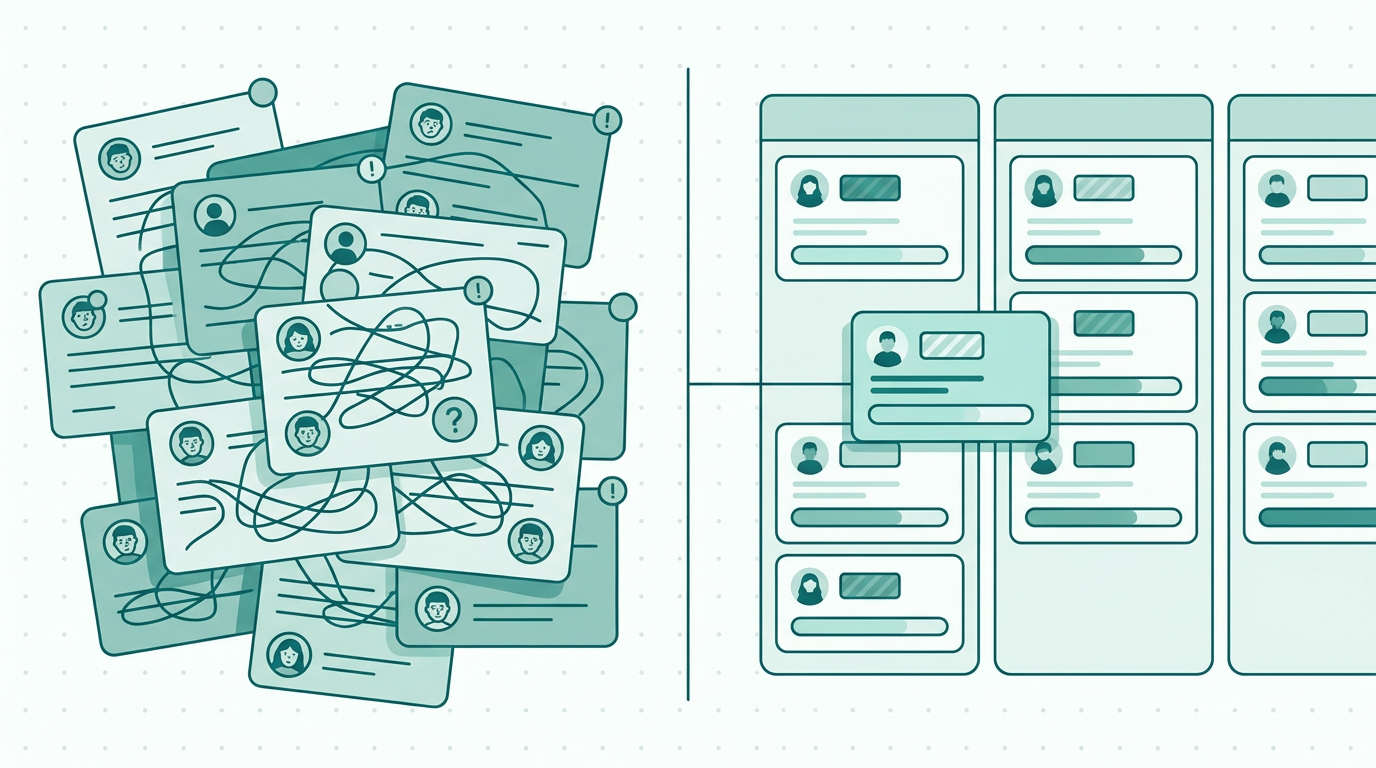
Discover the key differences between a shared inbox and a request tracking tool for small teams. Find the best solution to optimize your team's workflow.
Understanding the challenges of managing requests
Managing incoming requests can be a daunting task for small teams. Many organizations rely on shared inboxes to handle these requests, but this approach can lead to confusion and inefficiency. When comparing a shared inbox vs request tracking tool for small teams, it becomes clear how challenging it can be when multiple team members access a shared inbox.
This setup can make it difficult to track who is responsible for each request, leading to missed deadlines and disorganization. As a result, team members often spend more time sifting through emails than actually addressing the requests themselves. In contrast, request tracking tools offer a structured way to manage incoming queries and tasks, providing clarity and accountability.
As small organizations seek to streamline their operations, understanding the differences between these two approaches is crucial for improving workflow and productivity. Recognizing the limitations of a shared inbox versus the benefits of a request tracking tool is essential for making informed decisions that can positively impact the team’s performance and overall satisfaction.
What is a Shared Inbox?
A shared inbox is a collaborative email account that allows multiple team members to manage incoming communications from customers, clients, or colleagues. This setup creates a centralized location where all requests are received, making it easy for team members to access the same information. However, while shared inboxes can facilitate collaboration, they can also lead to several challenges.
For instance, with no clear assignment of responsibilities, team members may inadvertently duplicate efforts or overlook requests that require urgent attention. The lack of task prioritization can result in delays, frustrating both team members and those submitting requests. Furthermore, a shared inbox can quickly become cluttered, making it challenging to identify high-priority tasks amidst a sea of unrelated emails.
Without a systematic approach, team members often struggle to determine which requests need immediate attention and which can wait, leading to potential burnout. Establishing best practices for managing a shared inbox is vital, but it often requires a level of discipline that may not always be feasible in a fast-paced environment.
What is a Request Tracking Tool?
A request tracking tool is a software application designed to help teams manage incoming requests and tasks efficiently. These tools provide features such as ticketing systems, status updates, and assignment capabilities, allowing teams to prioritize and track their workload effectively. Unlike shared inboxes, request tracking tools offer visibility into who is responsible for each request, the current status of tasks, and deadlines for completion.
This structured approach helps ensure that nothing falls through the cracks and enables teams to work more collaboratively and transparently. Many request tracking tools also include notifications and reminders, which can help keep team members on track and informed about upcoming deadlines. Furthermore, many request tracking tools can integrate with other software systems, streamlining workflows even further.
This integration capability allows teams to consolidate their tools and maintain a seamless workflow, which can lead to enhanced productivity and efficiency in managing requests.
Key Differences Between Shared Inboxes and Request Tracking Tools
When comparing shared inboxes and request tracking tools, several key differences emerge that can impact how effectively a team manages incoming requests. First, shared inboxes primarily function as a communication channel, whereas request tracking tools are designed specifically for task management and prioritization. In shared inboxes, tasks can easily become lost amid a flood of emails, leading to confusion and missed deadlines.
On the other hand, request tracking tools keep everything organized in a structured format, allowing team members to view their assigned tasks quickly. Additionally, request tracking tools often include features like performance metrics and reporting, allowing managers to evaluate team efficiency and identify areas for improvement. This level of insight is typically absent in shared inbox systems.
Another significant difference is in the ability to document communication and decisions. Request tracking tools often provide a history of interactions related to each request, aiding in accountability and transparency. This documentation can be invaluable for future reference and learning.
- Clarity of task assignments
- Integration with other tools
- Performance tracking and reporting
- Prioritization of requests
- Structured workflow management
- Documentation of communication and decisions
- Visibility of task status and deadlines
When to Use a Shared Inbox
While request tracking tools provide numerous advantages, there are scenarios where a shared inbox may be appropriate. For small teams with limited incoming requests, a shared inbox can serve as a straightforward solution. If the volume of requests is manageable and the team is small enough to coordinate effectively using a shared inbox, this approach can work well.
However, teams must still establish clear protocols to ensure that requests are acknowledged and addressed in a timely manner. Regular check-ins and assigned roles can help mitigate some of the confusion associated with shared inboxes. For instance, implementing a system where team members regularly review the inbox and update the status of requests can create a sense of accountability.
Additionally, teams can set up filters and labels to categorize requests by urgency or type, streamlining the process further. Nevertheless, it is essential to recognize that this method may not scale well as the team grows or the number of incoming requests increases.
When to Choose a Request Tracking Tool
As teams grow or the volume of incoming requests increases, transitioning to a request tracking tool becomes increasingly beneficial. These tools are particularly advantageous for teams that handle diverse types of requests, such as IT support, customer service, or project management. By using a request tracking tool like PlanToValue, teams can manage incoming requests from submission to delivery effectively.
PlanToValue helps teams prioritize and track requests, ensuring that every task is visible and accountable. This structured approach allows for better time management and ultimately leads to improved team performance. Moreover, request tracking tools can help in identifying patterns in requests, which can be useful for long-term planning and resource allocation.
For example, if a team notices a recurring issue in customer service requests, they can take proactive measures to address the root cause, thereby reducing the number of incoming requests in the future.
Real-World Example: A Case Study
Consider a small marketing agency that initially relied on a shared inbox to manage client requests. Over time, they began to notice that important requests were overlooked or delayed due to the sheer volume of emails. Team members often reported feeling overwhelmed and uncertain about the status of various tasks.
After adopting a request tracking tool, they were able to streamline their workflow significantly. Each request was assigned a ticket, which included all necessary details, deadlines, and responsible team members. This clarity allowed team members to prioritize their work effectively and ensured that nothing was forgotten.
As a result, the agency reduced response times by 30% and improved client satisfaction scores. This case exemplifies how transitioning from a shared inbox to a request tracking tool can transform a team's efficiency and effectiveness. Furthermore, the agency was able to gather valuable data on request types and response times, which informed their future strategies for improving client services.
Evaluating the Best Option for Your Team
Choosing between a shared inbox and a request tracking tool depends on various factors, including the size of your team, the volume of requests, and the complexity of tasks. Small teams with minimal incoming requests may find a shared inbox sufficient, but as demand increases, the need for a more structured approach becomes evident. It is essential to evaluate the specific needs of your team and the nature of the requests you handle.
Take into consideration how each option aligns with your team's workflow and communication style. Additionally, consider the potential for growth; if your team plans to expand or if the nature of your work is likely to become more complex, investing in a request tracking tool may save time and resources in the long run. Conducting a trial period with both methods can also provide insights into what works best for your team, allowing you to make an informed decision.
Pros and Cons of Shared Inboxes vs. Request Tracking Tools
When evaluating shared inboxes and request tracking tools, it's essential to weigh the pros and cons of each option. Shared inboxes can be beneficial due to their simplicity and low cost, making them an attractive option for small teams on a budget. They allow for real-time communication and collaboration, enabling team members to respond to requests as they come in.
However, the downsides include the lack of organization, potential for confusion, and difficulty in tracking progress over time. In contrast, request tracking tools can offer enhanced organization, efficiency, and accountability, but they often come with a steeper learning curve and associated costs. The choice ultimately depends on the specific needs and circumstances of your team.
Best Practices for Managing Requests
Regardless of whether a team chooses a shared inbox or a request tracking tool, implementing best practices for managing requests can significantly enhance efficiency. For teams using a shared inbox, establishing clear protocols for checking and responding to emails is crucial. Assigning specific team members to monitor the inbox at designated times can help ensure that requests are addressed promptly.
Additionally, utilizing labels or folders to categorize requests by urgency can streamline the process. For teams using request tracking tools, regular training sessions on using the software effectively can maximize its benefits. Encouraging team members to update the status of their tasks consistently fosters accountability and transparency.
Utilizing reporting features to analyze performance metrics can also provide insights into team efficiency and areas for improvement.
FAQ
Frequently asked questions
What are the main benefits of using a request tracking tool?
Request tracking tools offer enhanced visibility into task assignments, improved prioritization of requests, and performance metrics that help teams evaluate their efficiency. These features lead to better organization and accountability. Furthermore, they facilitate clear communication among team members and provide a documented history of requests, which can be invaluable for future reference. Request tracking tools also often include automation features that can help reduce manual efforts, allowing team members to focus on more critical tasks.
Can a shared inbox be effective for larger teams?
While a shared inbox can work for smaller teams, larger teams often struggle with task management and clarity of responsibilities. As the volume of requests increases, a request tracking tool becomes more beneficial. Larger teams may find it challenging to maintain organization within a shared inbox, leading to confusion and delays. Implementing structured systems through request tracking tools can significantly enhance communication and efficiency in larger teams.
How can I transition from a shared inbox to a request tracking tool?
Start by assessing your current processes and identifying pain points. Choose a request tracking tool that aligns with your team's needs, and train team members on the new system to ensure a smooth transition. During the transition, maintain open communication with the team to address any concerns or questions. It may also be helpful to gradually phase out the shared inbox while encouraging the team to use the new tool for all incoming requests.
Is PlanToValue suitable for all types of requests?
Yes, PlanToValue is versatile and can be tailored to manage various types of requests across different departments, ensuring teams can prioritize and track their workloads effectively. Whether requests are related to IT support, customer service, or project management, PlanToValue can provide the necessary structure and organization to handle them efficiently. The flexibility of the tool allows teams to customize it to meet their specific needs, making it a valuable asset for any organization.